UNIFIED LEGAL OPERATIONS

One platform for the legal work that

refuses to stay in one module.

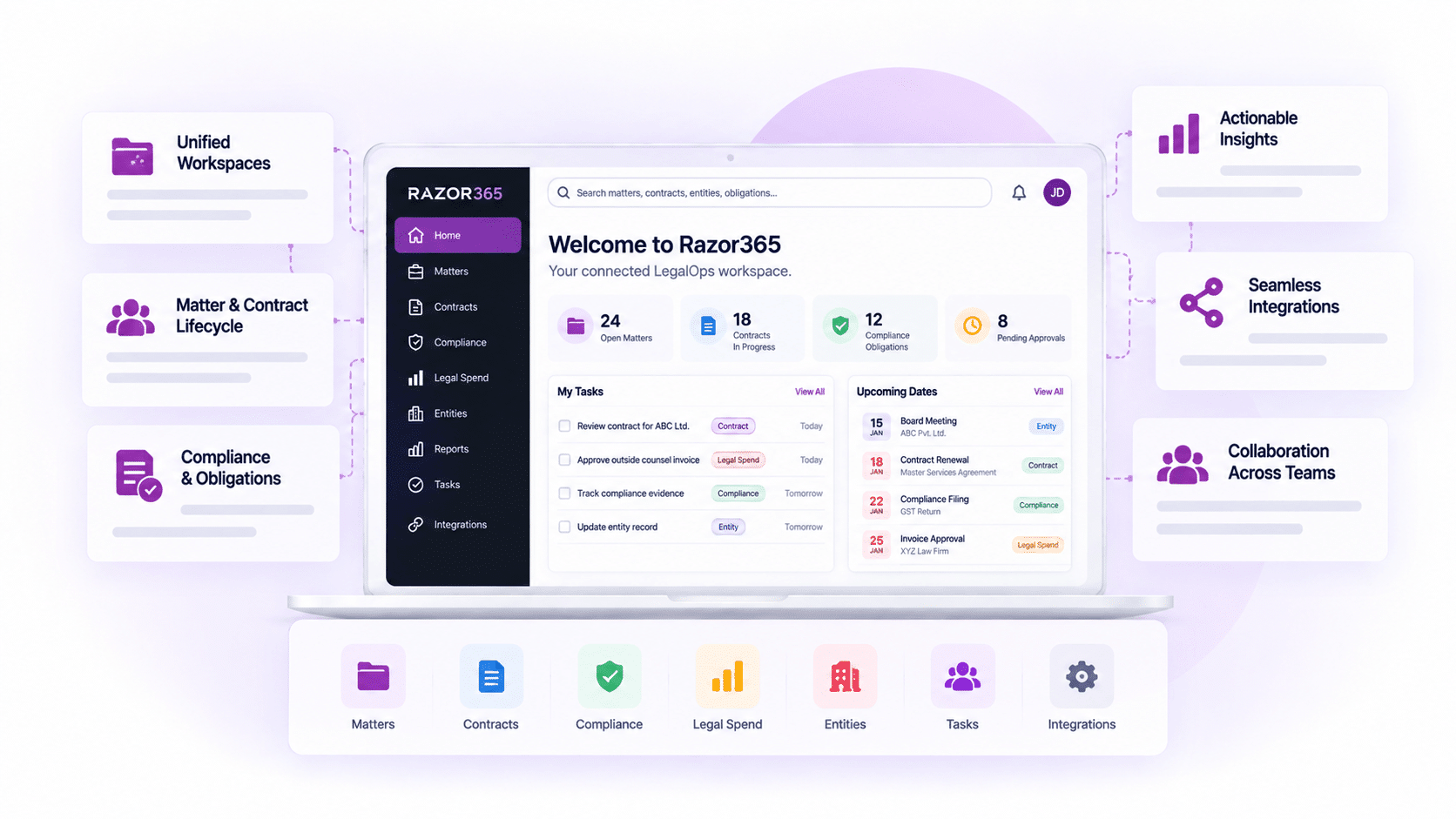
Razor365 brings contracts, matters, legal spend, documents, compliance, workflows, reporting and SensAI into one integrated LegalOps platform.

Draft
The work stays connected
Allocation
The information stays centralised
Business Systems
The operating view stays complete

Complete LegalOps Platform

The feature scope below is aligned only to the current Legal Operations Platform webpage.

Not Acceptable
Contracts

Contract handling, collaboration, redlining, version tracking and playbooks.

Matter Intake
Matters

Matter and legal-work management in the unified platform.

Receive
Legal Spend

Expenses and legal-cost information within LegalOps.

Documents
Documents

Centralised legal information and document management.

Intake
Compliance

Compliance management integrated with legal operations

Business Systems
SensAI

Review, extraction, generation and multi-AI assistance.

Dashboards
Work Management

Work queue, dashboard, calendar and task manager.

Integration
Integrations

Connections with business and productivity solutions.

PLATFORM OPERATING MODEL

The platform is unified

because the work is connected.

Razor365 centralises legal information, collaboration, workflows and reporting across the core LegalOps areas presented on the current webpage.

01

Manage

Work across contracts, matters, expenses, documents and compliance.

02

Collaborate

Keep legal teams working around shared information.

03

Control

Use workflows, tasks, calendars and dashboards.

04

Connect

Connect obligations, owners, dates and evidence.

05

See

Use consolidated information and reports.

CONTRACT OPERATIONS

Contract work, inside the wider LegalOps platform.

Razor365 supports contract handling as part of the unified legal operation. The current webpage highlights AI-powered contract work, redlining, version tracking, contract playbooks and deviation and risk review.

01

AI Assistance

Track contract versions during review.

02

Redlining

Track contract versions during review.

03

Versions

Track contract versions during review.

04

Playbooks

Use contract playbooks, deviations and risk ratings.

MATTERS AND LEGAL WORK

Legal matters belong in the same operating view.

The current webpage presents matters as a core part of the corporate Legal Operations Platform, alongside contracts, expenses, documents and compliance.

Matters

Manage legal matters within the unified platform.

Documents

Keep relevant legal documents centralised.

Tasks

Use the work queue, calendar and task manager.

Reporting

Bring matter information into consolidated reporting.

LEGAL SPEND

Legal cost should not sit outside LegalOps.

Expenses are included in the current webpage’s corporate Legal Operations Platform scope, keeping legal-cost information within the broader operating environment. 

Budget
Expenses

Manage legal expenses within the platform scope.

Analysis
Information

Centralise relevant legal-cost information.

Bulk Signing
Reporting

Include legal spend in consolidated reports.

Review
Context

Review cost within the wider LegalOps operation.

Compliance, integrated with the legal operation.

The current webpage presents compliance management as an integrated part of Razor365, supporting regulatory adherence alongside contracts and wider legal operations.

DSC and UIN
Compliance Management

Manage compliance within the unified platform.

Bulk Signing
LegalOps Integration

Keep compliance connected with legal operations.

Clickwrap
Information

Centralise relevant compliance information.

DSCII and DSCIII
Reports

Use consolidated reporting across the platform.

Legal AI in the platform, not in a separate destination.

The current webpage describes SensAI as a multi-AI legal assistant for reviewing, extracting and generating content. SensAI sits within the wider platform experience rather than operating as a disconnected tool.

Review
Review

Support AI-assisted legal review.

Review
Extract

Extract information from available legal content.

AI Clause Review
Generate

Generate relevant legal content.

Integration
Multi-AI

Use leading AI engines through the described multi-AI approach.

The document changes. The review record should keep up.

The current webpage highlights document redlining, version tracking, contract playbooks, deviation tracking and risk rating as part of effective contract collaboration.

Review Summary
Redlining

Review document changes.

Business Systems
Version Tracking

Track contract versions.

Playbook
Playbooks

Apply contract playbooks.

Performance
Deviations and Risk

Track deviations and rate risks.

The daily legal workload, in one workspace.

Razor365 brings the work queue, dashboard, calendar and task manager together so legal teams can manage day-to-day work from one centralised place. 

Budget Tracking
Work Queue

See the available work queue.

Dashboards
Dashboard

Use dashboard visibility across the workspace.

Calendar
Calendar

Manage relevant dates and scheduled work.

Detailed Risk Analysis
Task Manager

Track and organise legal tasks.

LegalOps should connect to the systems around it.

The current webpage states that RazorSign integrates with core business and productivity solutions to support a smoother legal workflow. Integration scope depends on the selected implementation.

Control
Business Systems

Connect relevant core business solutions.

Performance
Productivity Solutions

Connect supported productivity solutions.

Workflows
Workflow

Support information flow across the legal process.

Negotiation Guidance
Implementation

Final integration scope depends on the selected deployment.

IMPLEMENTATION AND CONFIGURATION

Configured for the operation. Built to remain scalable.

The current webpage highlights implementation, integration, expert support, innovation and configuration. It also states that clients can tailor the platform to their specifications without compromising scalability and upgradability.

Implement

Structured implementation and onboarding.

Integrate

Connect the selected business environment.

Configure

Tailor the platform to relevant specifications.

Support

Use ongoing updates and post-implementation support.

SECURITY

The legal platform should protect the information it centralises.

The current webpage includes a dedicated data-safeguarding position and links to RazorSign security information. Detailed security claims should remain aligned with the dedicated security page and approved documentation.

Resources

A True CLM Solution for

FAQs

What is Razor365?

Razor365 is a unified LegalOps platform covering the feature areas presented on the current webpage: contracts, matters, expenses, documents, compliance, workflows, reporting and SensAI. 

No. The current webpage presents contracts within a wider LegalOps platform that also includes matters, expenses, documents, compliance and work management.

The current webpage describes SensAI as a multi-AI legal assistant that reviews, extracts and generates content. 

The current webpage lists document redlining, version tracking, contract playbooks, deviation tracking and risk rating.

The current webpage lists a work queue, dashboard, calendar and task manager. 

The current webpage states that RazorSign integrates with core business and productivity solutions. Final integration scope depends on implementation.

No. Those capabilities are excluded because they are not presented as features on the current Legal Operations Platform webpage.

Scroll to Top

Act

Multi-document Q&A

Ask questions across one or more uploaded files.

Act

AI Tiles

Contract Summary, Key Clauses, Risks, Obligations, Insights, Rewrite and other configured actions.

Act

Voice Interaction

Ask questions by voice where enabled.

Act

Multi-model Support

Use supported AI models according to the selected configuration.

Act

Formatted Output

Copy AI results into Microsoft Word in a usable format.

Act

Charts and Export

Use available analysis, visualisation and export options.

Act

MCP Access

Allow compatible AI assistants to access authorised contract-repository data according to configuration and security controls.

Act

Confidential Information Redaction

Redact confidential information for relevant review and sharing workflows.

Act

Rephrase and Rewrite

Generate clearer or alternative language, including starting-position rewrite support.

Act

Obligation Extraction

Identify obligations and convert relevant commitments into actionable tasks.

Act

Metadata Extraction

Extract contract information to support repository structure and migration.